Slides
Mounted transparencies: identifying them, keeping carousel order, cleaning, and the three capture methods with settings for each.
🧰 What you'll need
Every tool and supply named in this unit. Dotted-underlined words in the text jump back here. Buttons open that store's search for the exact product. Prices are rough ranges in Canadian dollars.
Nitrile gloves, powder-free under $25
What it is: Thin disposable rubber-like gloves. They keep skin oil off film and glossy photos and still let you grip.
Our pick: Any powder-free nitrile exam gloves, in your size (S, M, L). Not latex, not vinyl.
In a store: Pharmacy, Costco, hardware store
Rocket blower under $25
What it is: A rubber bulb you squeeze. It puffs clean dry air to push dust off without touching.
Our pick: Giottos Rocket Air Blaster, large
In a store: Camera store
Anti-static brush $25 to $100
What it is: A very soft brush whose fibres remove static, so dust lets go of film and prints.
Our pick: Kinetronics StaticWisk, 2 inch or 4 inch
In a store: Camera store
Soft pencil (2B) under $25
What it is: A soft graphite pencil. It is the only thing we ever write with near originals, because it does not bleed and can be removed.
Our pick: Staedtler Mars Lumograph 2B
In a store: Staples, Michaels, dollar store
PEC-12 film cleaner $25 to $100
What it is: A solvent made for cleaning film and slides. Removes fingerprints, grease and mold residue. Supervisor only, ventilated.
Our pick: PEC-12 Photographic Emulsion Cleaner, 4 oz
In a store: Camera store
PEC pads (lint-free wipes) under $25
What it is: Very soft wipes that shed no fibres. Used with PEC-12 on film, and with film cleaner on movie film.
Our pick: PEC*PAD lint-free wipes, 4x4 inch, pack of 100
In a store: Camera store
Copy stand $100 to $500
What it is: A flat base with a vertical post that holds a camera pointing straight down, steady and square.
Our pick: Kaiser RS 2 XA, or a budget tabletop copy stand from Neewer or JJC
In a store: Camera store
Camera body over $500
What it is: A mirrorless or DSLR camera, 24 megapixels or more, that saves RAW files.
Our pick: A used 24 MP body from Sony, Canon, Nikon or Fujifilm is enough
In a store: Camera store, used dealers
Macro lens over $500
What it is: A lens that focuses close enough to fill the picture with one slide or negative (1:1).
Our pick: Sigma 70 mm f/2.8 DG Macro Art, or Laowa 65 mm f/2.8 2x, in your camera's mount
In a store: Camera store
Film scanning light $25 to $100
What it is: A small, very even, colour-accurate light panel (CRI 95 or higher) that sits under the film.
Our pick: CineStill CS-LiteBrite+, or a Valoi light. Budget: a CRI 95+ LED video panel with a diffuser.
In a store: Camera store
Film and slide holder $100 to $500
What it is: A frame that holds a slide or film strip flat and square over the light and blocks stray light around it.
Our pick: Valoi easy35 or Valoi 360 system. Budget for slides: JJC FDA-S1 slide copy adapter.
In a store: Camera store
Grey card or colour target $25 to $100
What it is: A card of exact neutral grey, or a chart of known colours. Photographed once per set-up so colour can be corrected precisely.
Our pick: Calibrite ColorChecker Passport Photo 2. Budget: any 18% grey card.
In a store: Camera store
Remote shutter release under $25
What it is: A button on a cable or wireless that fires the camera so your hand does not shake it.
Our pick: The remote made for your camera model, or the camera's phone app
In a store: Camera store
Film-capable flatbed scanner $100 to $500
What it is: A flatbed with a light in its lid, so it can scan slides and negatives. Our ET-2750 does not have this.
Our pick: Epson Perfection V600 Photo
In a store: Staples, camera store
Dedicated film scanner $100 to $500
What it is: A small scanner made only for 35 mm slides and negatives, with infrared dust removal.
Our pick: Plustek OpticFilm 8200i
In a store: Camera store
Small flat mirror under $25
What it is: A pocket mirror laid flat under the camera. When the lens sees itself in the exact centre, the camera is square.
Our pick: Any flat pocket mirror, about 5 to 8 cm
In a store: Dollar store, pharmacy
Film cleaner $25 to $100
What it is: A liquid that dissolves grime on movie film and lubricates it. Applied with a lint-free cloth.
Our pick: FilmGuard, or Edwal Anti-Stat Film Cleaner
In a store: Specialist film suppliers
What a slide is
- A slide is a piece of positive film (the colours look normal) in a 50 x 50 mm mount.
- It is viewed by shining light through it. So it must be captured with light from behind.
| Mount type | Looks like | Watch out for |
|---|---|---|
| Cardboard | Cream or grey card, often printed "Kodachrome" with a date | Edges fray. Card dust falls on the film. |
| Plastic | White, grey or black plastic, may snap open | Thicker. Can jam auto feeders. |
| Glass | Film sandwiched between two thin glass panes | Fragile. Mold and rainbow rings inside. Supervisor decides on opening. |
| Metal and glass | Aluminium frame, 1940s to 50s | Sharp corners. Heavy. |
| Film type | Clues | Behaviour over time |
|---|---|---|
| Kodachrome | Mount says Kodachrome. Dull side shows a slight raised relief of the image. | Colours last very well in the dark. Infrared dust removal works poorly on it. |
| Ektachrome, Agfachrome, Fujichrome (E-6) | Mount names the film or a lab | Older ones fade toward magenta or blue. Fixed in software. |
| Black and white slides | No colour | Infrared dust removal must be OFF |
Keep the order
- 1Photograph each tray, box and carousel from above before removing anything
Include the lid, index card and any writing.
- 2Number the container
Tray T01, T02. Label on the container.
- 3Number by slot
A carousel slide's identity is its tray and slot: T02-047.
- 4Work one row or one tray at a time
- 5Empty slots are recorded
Write "T02-048 empty" on the sheet. Do not close the gap.
- 6Put each slide back in its own slot, same way round
Cleaning slides
- 1Gloves on. Hold the mount, never the film.
- 2Blower on both sides
Hold the slide tilted so dust falls away.
- 3Soft brush for stuck lint
One light pass.
- 4Look through it at a light
Fingerprints, mold webs, scratches: note them.
- 5Stubborn marks, supervisor only
PEC-12 film cleaner on a PEC pad, one light wipe on the shiny side. Never water.
✔ Do
✘ Do not
- Blow with your mouth
- Use canned air tilted or shaken. It sprays freezing liquid.
- Wipe the dull emulsion side unless a supervisor is with you
- Open glass mounts without approval
Method 1: camera scanning
A digital camera with a macro lens photographs the slide on a light source. Fast, and very high quality. This is how most professional shops now work.
- Mode
- Manual
- ISO
- Lowest native (100 or 200)
- Aperture
- f/5.6 to f/8
- Shutter
- Set for correct exposure, usually 1/15 to 1/125 s
- White balance
- Custom, taken from the bare light source
- File
- RAW
- Focus
- Manual, magnified live view, on the film grain
- 1Darken the room
Room light reflecting off the slide lowers contrast.
- 2Set white balance on the bare light
- 3Level the camera
A small mirror on the holder: the lens should see itself dead centre.
- 4Slide in, emulsion (dull) side toward the lens
Sharpest result. The picture will be mirrored: flip it in software for the whole batch.
- 5Focus on the grain at maximum magnification
Recheck every 20 slides and after any bump.
- 6Check the histogram
Nothing clipped at either end. Dark slides may need a second, brighter exposure.
- 7Shoot. Next slide.
Method 2: flatbed with a transparency lid
Photo flatbeds such as the Epson Perfection V600 and V850 have a light in the lid. Slides go in a plastic holder. Slower, softer than a camera or film scanner, but simple and able to remove dust with infrared.
- Mode
- Professional
- Document Type
- Film (with Film Holder)
- Film Type
- Positive Film
- Image Type
- 48-bit Color
- Resolution
- 3200 dpi
- Digital ICE
- ON for E-6 colour slides. OFF for Kodachrome and black and white.
- Unsharp Mask
- OFF or Low
- 1Remove the white document mat from the lid
It covers the lid light.
- 2Load the holder: shiny side down, top of the picture toward the hinge
Follow the holder markings.
- 3Preview, check each thumbnail frame, scan
Method 3: dedicated film scanner
Units such as the Plustek OpticFilm series scan one slide at a time at high real resolution with infrared dust removal. Best detail per dollar, slowest per slide.
🏷️ Porthos station card fill in once, it saves on this computer
What infrared dust removal is
- The scanner takes an extra infrared picture. Colour film dyes are clear to infrared but dust is not, so the software knows where the dust is and paints it out.
- It works on colour negative film and E-6 slides.
- It fails on black and white silver film (silver blocks infrared: the whole image looks like dust) and gives artifacts on Kodachrome.
- Camera scans have no infrared channel. Clean well and remove remaining dust in software.
| If you see or hear | Likely cause | Do this |
|---|---|---|
| Slide scan is a black square | Scanned with reflected light | Wrong scanner or lid mat still in place |
| Picture is mirrored, text backward | Wrong side toward lens or sensor | Flip horizontally in software, or reload |
| Rainbow rings | Glass mount touching film (Newton rings) | Supervisor: remount without glass for capture |
| Edges soft, centre sharp | Film bowed in mount | Stop down to f/8 or f/11, refocus one third in from the edge |
| Strong magenta or blue cast | Dye fading | Capture as is. Correct on the access copy. |
| Sparkly white specks | Dust | Clean and recapture. Cheaper than retouching. |
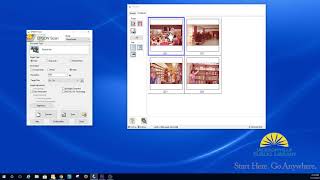 ▶Scanning slides on an Epson V600👀 Watch for: how slides sit in the holderOpens on YouTube in a new tab
 ▶How to scan slide film on a flatbed👀 Watch for: the software settings for positive filmOpens on YouTube in a new tab
 ▶Epson flatbed tutorial for slides, negatives and prints👀 Watch for: removing the lid matOpens on YouTube in a new tab
 ▶Slide copying with a digital camera👀 Watch for: the copier on the front of the lensOpens on YouTube in a new tab
 ▶Digitising slides and negatives with a camera👀 Watch for: the complete rigOpens on YouTube in a new tab
📝 Worksheet 8: Slides
Part A: Quick check
Click one answer. Green means correct. Red means try again. You can try as many times as you need.
1. Why does a slide scan black on the ET-2750?
✅ Slides must be lit from behind.
2. Which side of the slide faces the camera lens for the sharpest capture?
✅ The image is in the emulsion. Facing it avoids shooting through the base.
3. For which film do we switch infrared dust removal OFF?
✅ Silver and Kodachrome's dye structure confuse the infrared channel.
4. Slot 48 of a carousel is empty. What do you do?
✅ Slot numbers are the slide's identity and often match the client's own list.
5. What do you hold when picking up a slide?
✅ Skin oil etches film permanently.
6. What resolution do we use for 35 mm slides on a film-capable scanner?
✅ The frame is only 36 x 24 mm, so it needs high ppi. Above about 4000 adds only grain.
Part B: Hands-on practice
Do each task with real equipment and practice media. Tick it when you have done it. Your trainer signs when they have watched you do it.
| I did it | Task | Trainer initials |
|---|---|---|
| Photograph, number and unload a practice carousel, then reload it with every slide in its original slot and direction. | ||
| Identify the emulsion side on 10 slides without error. | ||
| Identify Kodachrome, E-6 and black and white slides in the practice set. | ||
| Clean 10 slides with blower and brush. | ||
| Capture 20 slides with the Porthos method, correctly oriented, named by tray and slot. | ||
| Find and fix a mirrored capture. |
Part C: Write or draw your answer
1. Explain in your own words why infrared dust removal does not work on black and white film.
2. Draw the diagonal pencil line hack and explain how it shows a slide is out of order.